The AI-first laptop
Stop hunting for apps. Just say what you want.
Your mail, calendar, messages and files, in one place. Say it, and BritOS shows you the plan, then does it.
Ready
One laptop for everything
You’ve been the glue between your apps. Hand the job over.
You carry the date from the calendar to the email. The figure from the spreadsheet to the reply. The file from last spring into the chat.
BritOS takes that job. It knows your day and gets things done when you ask. Your data stays on your laptop, and your phone has the final say on anything important.
- “Find the contract Priya sent last spring.”
- “Move my 3pm.”
- “Clear my inbox of newsletters and flag what needs me.”
- “Draft my weekly update from my files.”
- “Cycle NASA photographs every 10 minutes as my wallpaper.”
Just ask
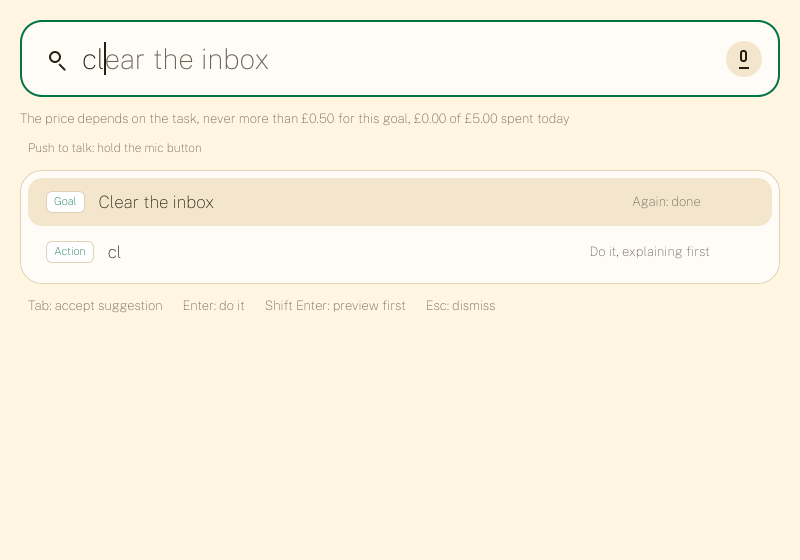
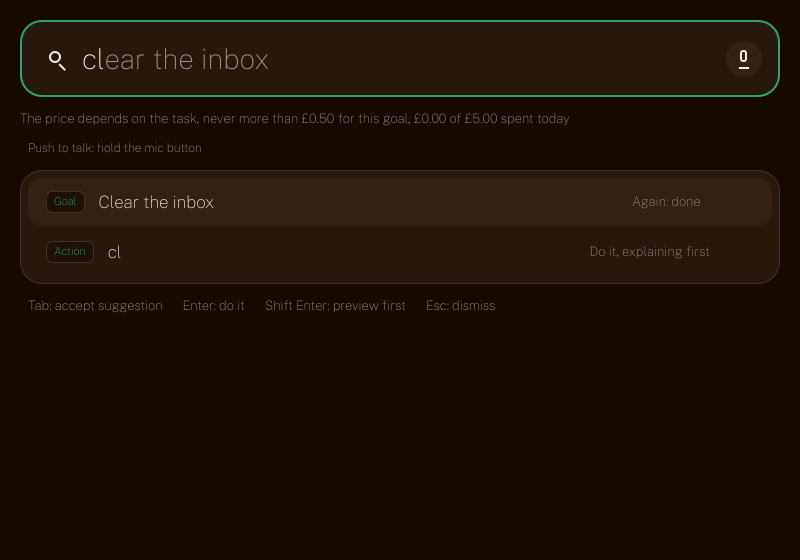
Say it. See the plan. Done.
Say it.
Type it or speak it, in your own words. No app to open first. No menu to hunt through.
See the plan.
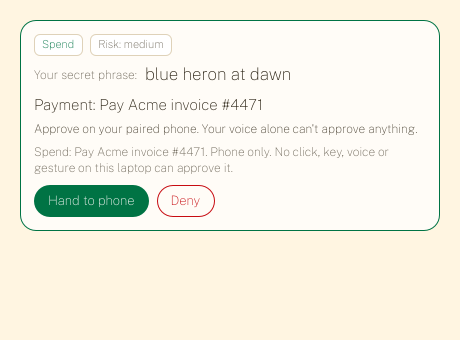
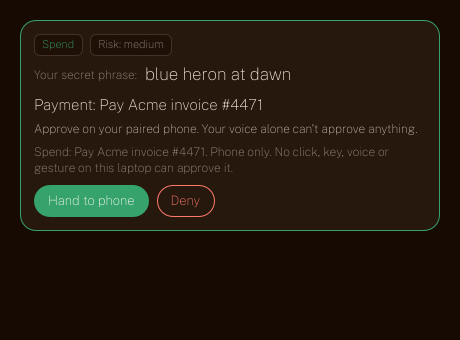
You see exactly what BritOS will do before it does it. For anything big, like a payment, your phone checks with you first.
Done.
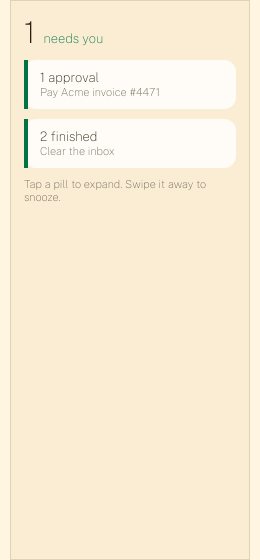
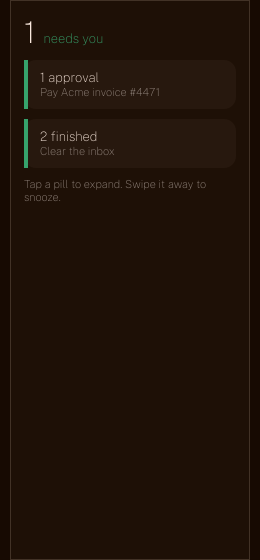
You get a short receipt and an Undo button. A quiet strip at the edge of your screen shows what’s finished and what needs you.
Watch the B
It thinks. Then it’s ready.
The B drifts while BritOS thinks, speeds up while it works, and settles when your answer is ready. Prefer calm? Turn Motion down at the top of the page.
- Thinking
- Thinking it through.
- Working
- Getting it done.
- Ready
- Done. Over to you.
What you could ask
Ask it like you’d ask a person.
“Find the contract Priya sent last spring.”
BritOS searches your mail and files together, then shows you the contract and the email it came in.
“Move my 3pm.”
It checks your calendar, suggests a time that works, and asks before anyone gets a new invite.
“Clear my inbox of newsletters and flag what needs me.”
Newsletters tidied away. The ones that need you, flagged. A plain list of what it did, and an Undo.
“Draft my weekly update from my files.”
A first draft, saved as a new file, with where each point came from. Your originals stay as they were.
“Cycle NASA photographs every 10 minutes as my wallpaper.”
A fresh photo every ten minutes, for as long as you like.
“Brief me on Dana.”
Your last three conversations, what’s still open, and the document she mentioned.
You stay in control
It acts for you. It answers to you.
You see the plan first.
Read the plan first. Tweak it, or say no.
Every change has an Undo.
Changed your mind? One tap puts it back.
Your data stays home.
Your mail, calendar, messages and files live on your laptop. A cloud AI sees only what you send it.
Your phone approves.
Before BritOS touches your banking, health, microphone, camera or screen, your phone checks with you.
It can’t make itself the boss.
Anything that needs administrator rights comes to you first.
See what it read.
Ask what it looked at today and delete any of it. Switch a source off and BritOS forgets it.
Your apps are still here
They just wait until you want them.
BritOS with the Linnet desktop handles your mail, calendar and files for you. Want a window of your own? Your apps and browser open as usual, and Classic, the ordinary desktop, is one click away.
You choose the AI. Bring your own key, or run a model on the laptop.
Your laptop and phone
Your laptop has a partner.
Flick a video to your phone and carry on watching on the train. Use your phone as a camera or a second screen. Take your files offline. Find your laptop from your pocket.
Make it yours
Set it up your way
Bring your own AI
Paste a key from the AI provider you already use. Your key is typed on the laptop and never sent to us.
Built for the best laptops
BritOS is built for the best laptops: it doesn't try to revive old ones. What you need
Built on solid ground
Underneath sit Fedora and KDE Plasma, systems millions of people already rely on. Your familiar desktop is one click away.
Built for the best laptops
BritOS is an AI-first system. It is designed for the best laptops, not to give old ones a second life.
Minimum supported: Intel Core i5 9th generation, 4 GB of memory and a 128 GB solid-state drive.
Recommended: an 8-core class processor such as Intel Core Ultra 7, Intel Core i7 13th generation or AMD Ryzen 7 7000 series, graphics at the level of Intel Arc or Radeon 780M (or a graphics card with 6 GB of video memory), 16 GB of memory (32 GB for the largest assistants on your laptop) and a 512 GB NVMe drive.
Questions
Questions, answered shortly.
What is BritOS?
A laptop that does things when you ask. It brings your mail, calendar, messages and files together and gets on with the job.
Will my apps still work?
Yes. Your apps and browser open as normal, and Classic, the ordinary desktop, is one click away.
Do I need an AI account?
No. Bring your own key from the provider you already use, or run a model on the laptop. Your key stays on your machine.
Not here? Read the full FAQ or write to hello@getbritos.com.
Say hello
- hello@getbritos.com
- Registered office
- Montclare, Orpington Bypass, Badgers Mount TN14 7AG
Operated by Polyglyph Analytica Ltd.
Your data
Your data is private.
BritOS keeps you in control, with sovereignty over how your data is used, or not used. It lives sealed on your laptop, and only what you send leaves it.